Product tour
The admin side, in five real screens.
From the RFP landing in your inbox to a planner reading your proposal page — this is the whole job as your team sees it.
Every screen below is an unretouched capture of the running product on a seeded demonstration property — Saltwind & Cedar, a sample property imagined by CatchyProposals. No mockups, no real-client data.
Step
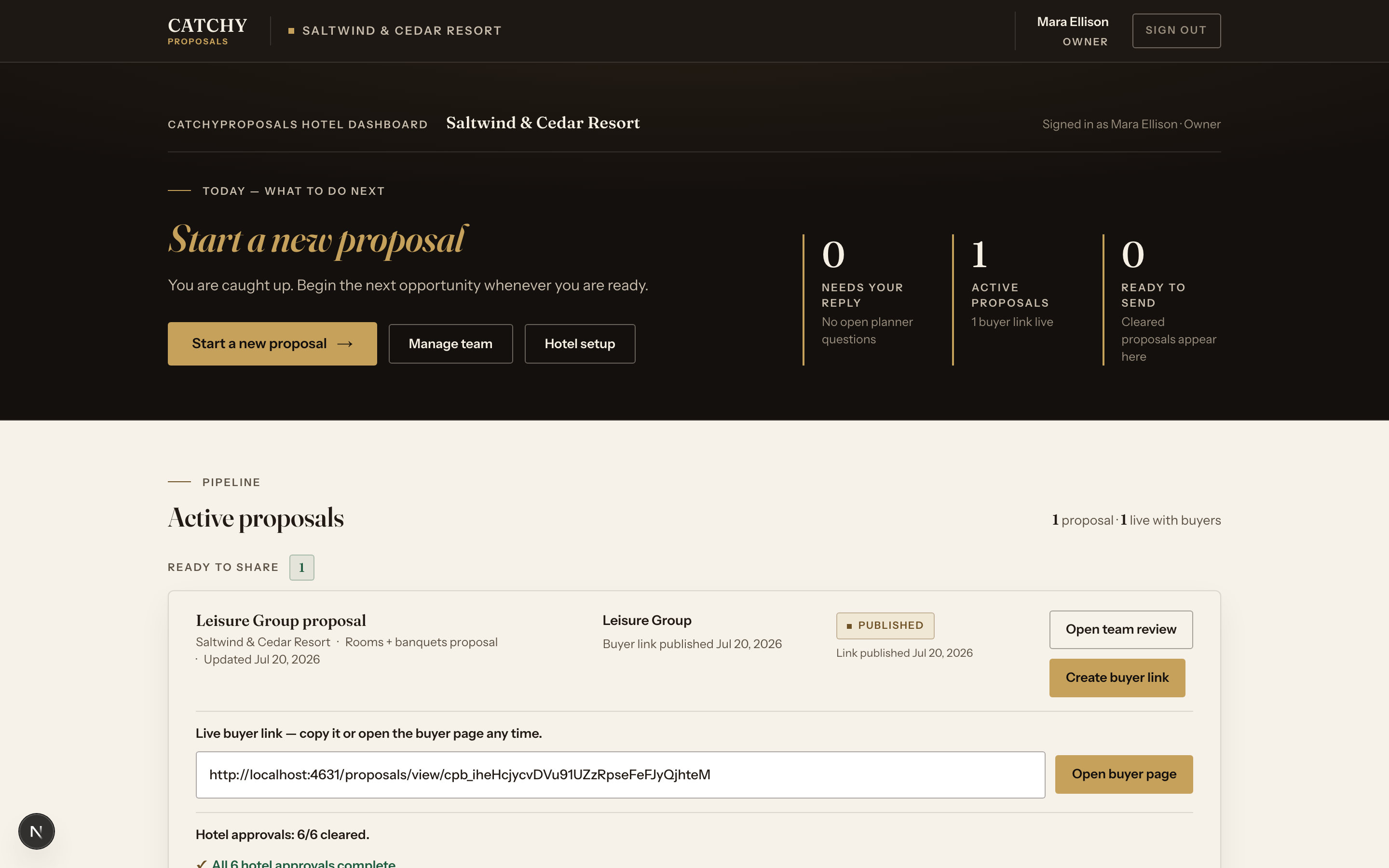
The dashboard tells you what to do next
Sign in and the day is already sorted: what needs your reply, what is active with buyers, and what is ready to send.
The pipeline groups proposals into "ready to share" and "needs repair first," and every live buyer link sits one click away.
Real capture — demonstration-property workspace. Method: provenance. Step
Drop in the RFP
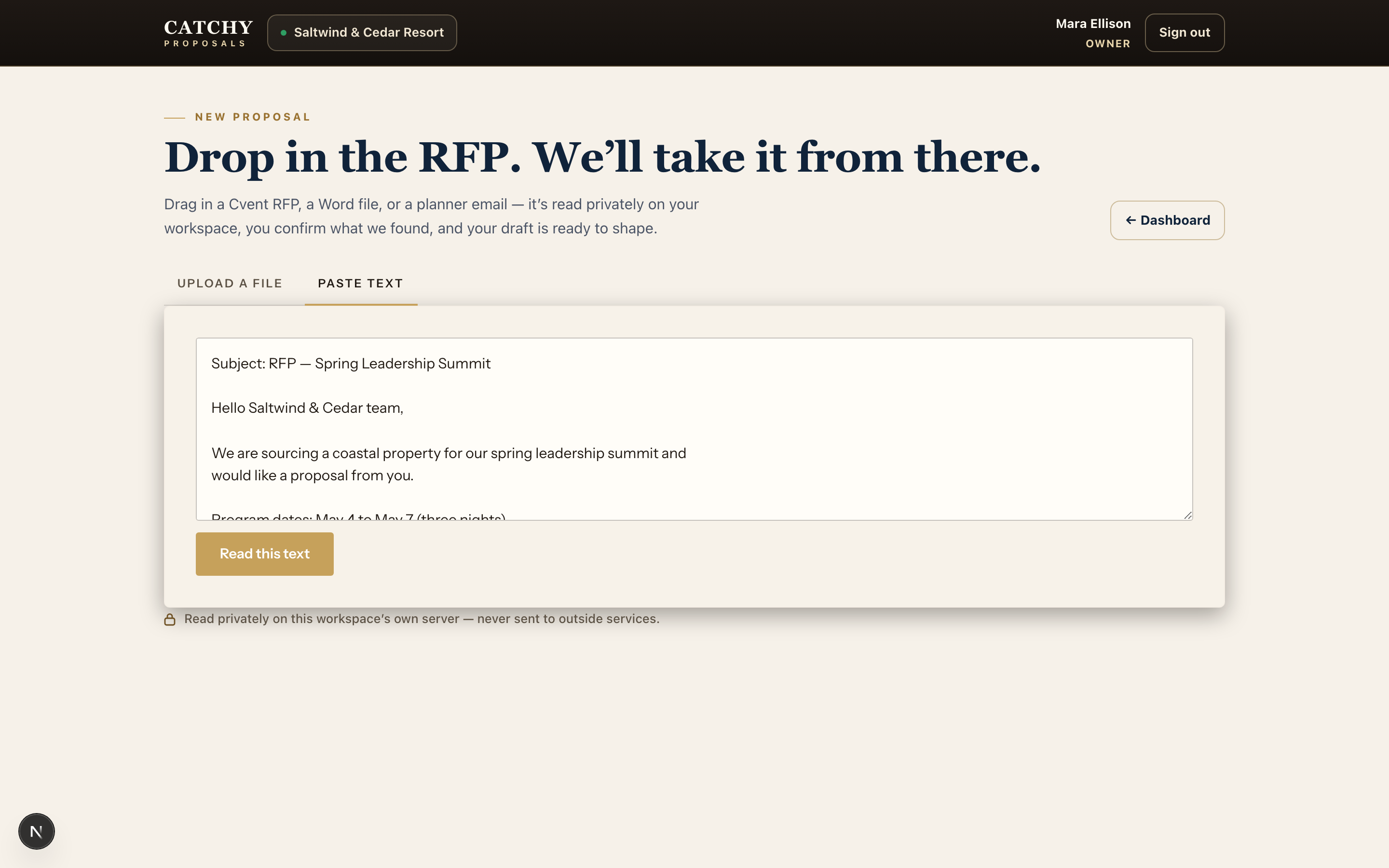
Paste a planner email, or upload a Cvent RFP or Word file. As the screen itself says: it is read privately on your workspace — never sent to outside services.
This frame shows a demonstration planner email pasted into the paste-text tab, ready for the engine to read.
Real capture — demonstration-property workspace. Method: provenance. Step
Review what the engine found
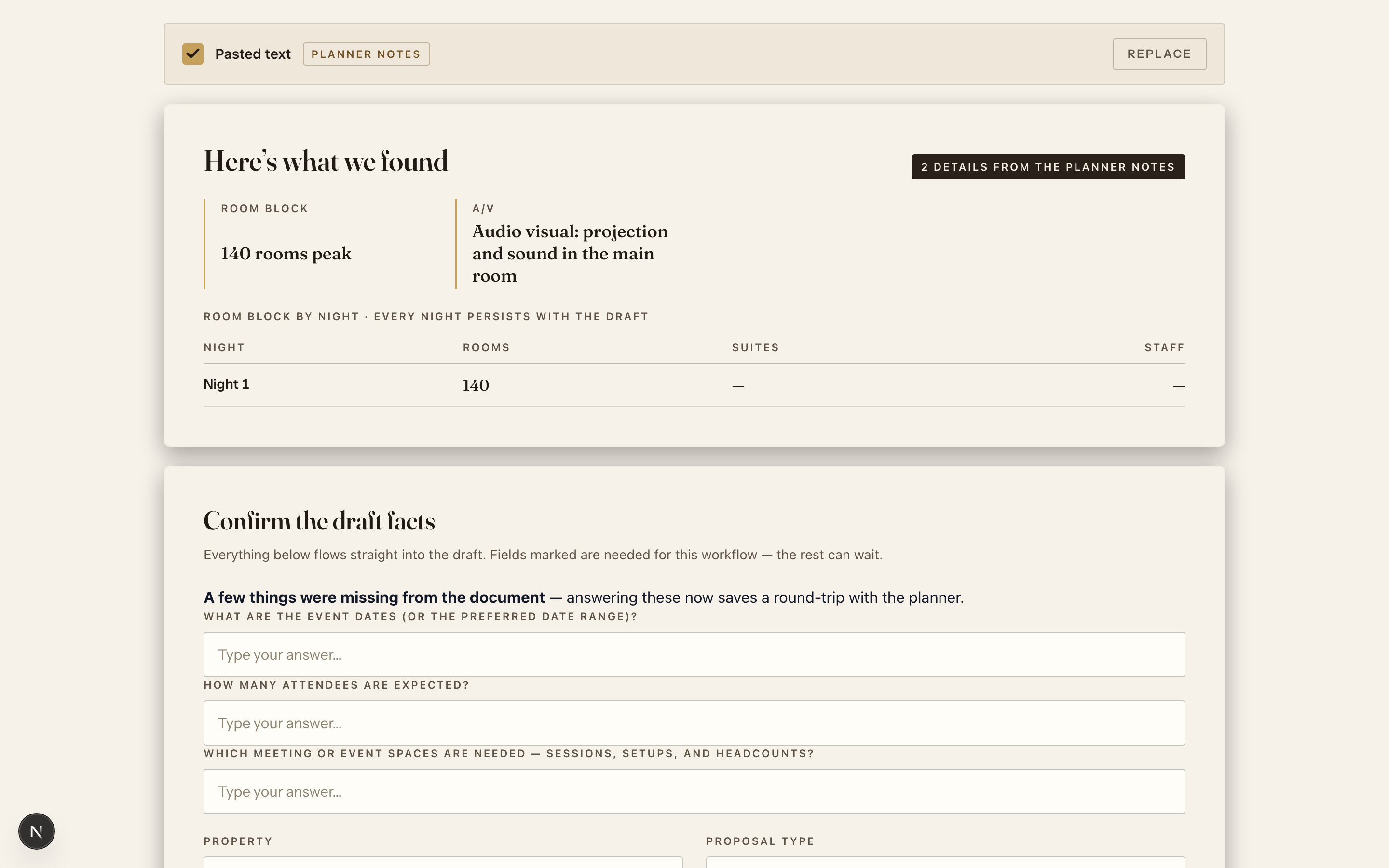
The engine lays out what it read — room block, A/V, the night-by-night — and asks only for what the document did not say.
You confirm the draft facts before anything moves. Missing details become a short list of questions instead of a round-trip with the planner.
Real capture — demonstration-property workspace. Method: provenance. Step
Nothing ships until the hotel clears it
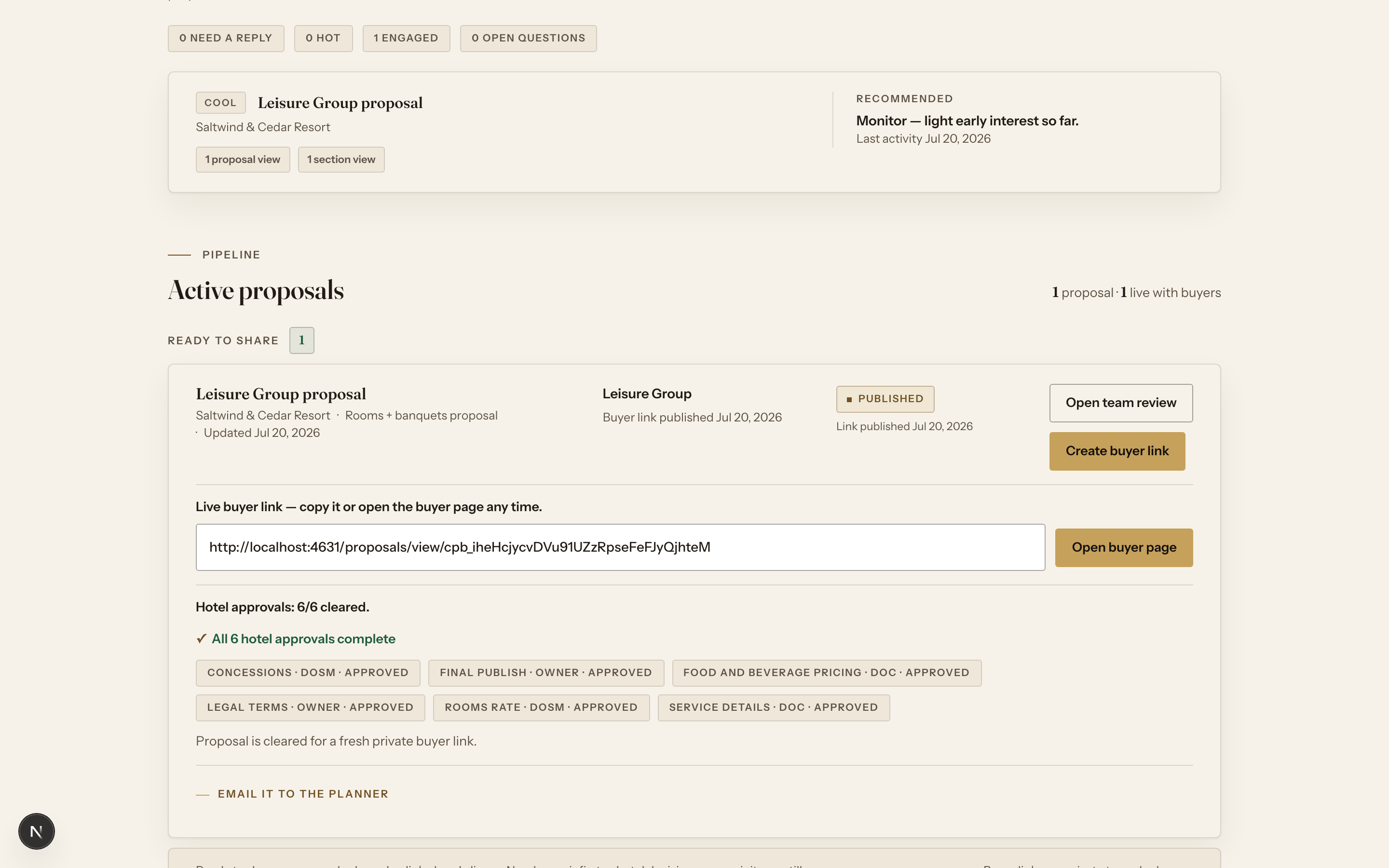
The pre-send gate holds every proposal until the hotel approvals clear — rooms rate, food and beverage pricing, legal terms, service details, concessions, final publish.
Each approval is tied to a role. Only a fully cleared proposal can mint a fresh private buyer link.
Real capture — demonstration-property workspace. Method: provenance. Step
Watch the buyer engage
Once the private buyer link is live, tracked activity lands back on your dashboard: page views, section views, and planner questions.
The engagement shown here is real — it was recorded by the product while the seeded proposal's buyer page was opened during the capture session. A follow-up recommendation sits above the pipeline.
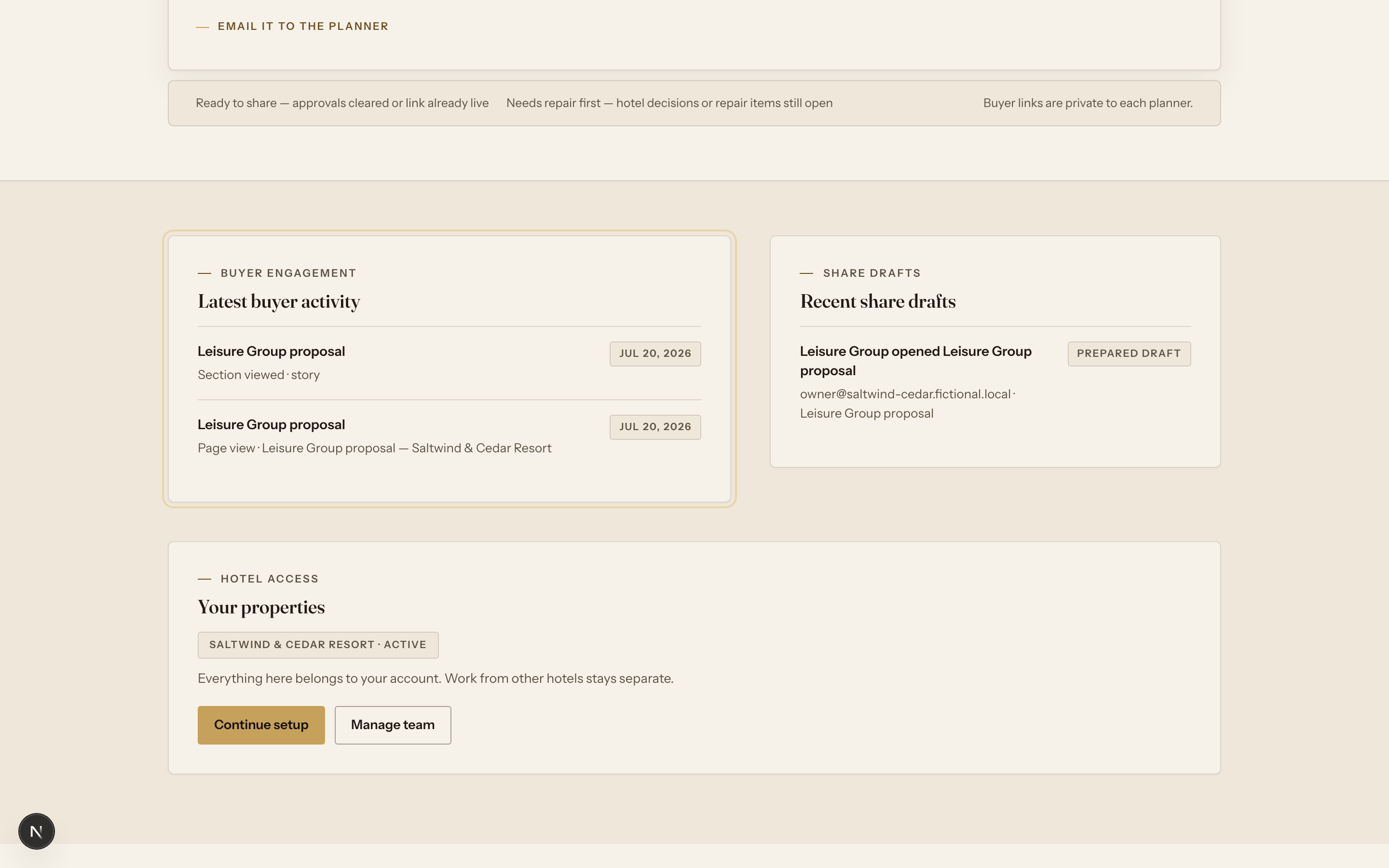
Real capture — demonstration-property workspace. Method: provenance.
Now see what the planner receives
The other half of the product is the proposal page itself — open the live demonstration proposal, then the matching property website built from the same brand.